iPhone Wallpaper Dimensions (2026)
iPhone Wallpaper Dimensions mean the correct pixel size needed for a wallpaper to fit an iPhone screen properly. It depends on the iPhone model and its screen resolution. Every iPhone has a unique display size, so each device needs a matching wallpaper size for the best visual result.
Many users face blurry or cropped wallpapers on their iPhones. This usually happens when the image size does not match the screen resolution. Correct iPhone Wallpaper Dimensions solve this problem and help the wallpaper look clear, sharp, and properly aligned on the screen without distortion or unwanted stretching.
iPhone Wallpaper Dimensions help users select the right image size for their specific device. They make wallpapers look sharp, balanced, and well-fitted on both the lock screen and home screen. Understanding these dimensions makes wallpaper setup simple, improves image quality, and ensures a clean and attractive display experience every day.
What Are iPhone Wallpaper Dimensions?
iPhone wallpaper dimensions refer to the exact pixel measurements needed for a wallpaper to fit an iPhone screen properly. These dimensions match the phone’s native resolution, which is the real number of pixels built into the display.
Many users confuse screen size with wallpaper dimensions. The screen size is measured diagonally in inches, while wallpaper dimensions use pixels. For example, a 6.1-inch display does not describe wallpaper size. Instead, measurements such as 1179 × 2556 pixels determine the proper wallpaper fit.
The reason this matters is simple. When you use an image smaller than the screen resolution, iOS stretches the image. This causes blur and weak image clarity. When the wallpaper is too large, the system scales it down. This normally keeps quality intact.
The modern iPhone uses extremely sharp displays. The Retina display technology packs a high number of pixels into small screens, creating excellent detail and sharpness. This means wallpapers must be high quality to match the display performance.
The following table explains the difference between display size and wallpaper resolution.
| Feature | Meaning |
| Screen Size | Physical display measured in inches |
| Resolution | Pixel measurements of the screen |
| Wallpaper Dimensions | Ideal image size for wallpaper |
| Pixel Density | Number of pixels per inch |
| Aspect Ratio | Shape of the display |
The iPhone screen resolution and wallpaper dimensions often look identical, but there is an extra factor to consider. Apple uses movement effects known as parallax wallpaper and image shifting. This means the system sometimes uses a slightly larger image area than what you actually see.
Because of this design, choosing the correct wallpaper dimensions for iPhone becomes important for avoiding distortion.
Understanding iPhone Screen Resolution and Wallpaper Size
The display technology inside an iPhone is designed for visual sharpness. Every iPhone model includes a unique iPhone wallpaper resolution based on its screen hardware.
The term iPhone wallpaper pixels refers to the total number of pixels inside a wallpaper image. A larger pixel count creates more detail. This is why high-quality wallpapers look better than low-resolution photos.
A good example is the iPhone 15 Pro. It uses a 1179 × 2556 resolution. That means the ideal wallpaper should match those dimensions. If a wallpaper is only 720 × 1280 pixels, it must be enlarged. Enlargement creates blur and detail loss.
Apple displays are famous for high pixel density. This is measured through iPhone PPI or pixels per inch. Most premium iPhones exceed 450 PPI. High density creates sharp text, cleaner images, and impressive wallpaper appearance.
The table below explains why PPI matters.
| PPI Level | Wallpaper Appearance |
| Low PPI | Less detail and softer image |
| Medium PPI | Acceptable sharpness |
| High PPI | Extremely clear wallpaper quality |
The high PPI found in modern iPhones explains why high-resolution wallpaper performs better than ordinary images.
“A wallpaper is only as sharp as the resolution behind it.”
This simple rule explains why iPhone wallpaper quality depends heavily on correct sizing.
Wallpaper Aspect Ratio and Image Scaling
Another important concept is the wallpaper aspect ratio.
Aspect ratio describes the relationship between width and height. Older phones commonly used a 16:9 wallpaper size, but modern iPhones are taller and use the 19.5:9 aspect ratio.
This change affects how wallpapers appear.
Older wallpapers may not fit new screens properly because the display shape has changed. This creates a common wallpaper cropping issue where important image elements disappear from the screen.
Apple also uses automatic wallpaper scaling to make images fit. The system enlarges or shrinks wallpapers when necessary. Although helpful, scaling sometimes causes unwanted cropping.
The table below compares ratios.
| Ratio | Common Usage |
| 4:3 | Older tablets |
| 16:9 | Older phones and TVs |
| 19.5:9 | Modern iPhones |
Understanding wallpaper scaling on iOS helps users avoid fitting problems and improve wallpaper image quality.
iPhone Wallpaper Dimensions
Knowing the correct iPhone wallpaper size by model ensures a better wallpaper experience. Since Apple releases devices with different screens, users should always check model-specific dimensions.
The following wallpaper resolution chart works as a complete iPhone wallpaper guide.
| iPhone Model | Display Size | Resolution | Aspect Ratio | PPI |
| iPhone 16 Pro Max | 6.9″ | 1320 × 2868 | 19.6:9 | 460 |
| iPhone 16 Pro | 6.3″ | 1206 × 2622 | 19.6:9 | 460 |
| iPhone 16 Plus | 6.7″ | 1290 × 2796 | 19.5:9 | 460 |
| iPhone 16 | 6.1″ | 1179 × 2556 | 19.5:9 | 460 |
| iPhone 15 Pro Max | 6.7″ | 1290 × 2796 | 19.5:9 | 460 |
| iPhone 15 Pro | 6.1″ | 1179 × 2556 | 19.5:9 | 460 |
| iPhone 14 | 6.1″ | 1170 × 2532 | 19.5:9 | 460 |
| iPhone 13 Pro Max | 6.7″ | 1284 × 2778 | 19.5:9 | 460 |
| iPhone SE | 4.7″ | 750 × 1334 | 16:9 | 326 |
This iPhone display resolution chart highlights how mobile wallpaper dimensions differ across devices.
The iPhone 16 wallpaper size continues Apple’s trend toward taller screens. Users seeking iPhone 16 Pro Max wallpaper dimensions should use 1320 × 2868 pixels for the best results.
Likewise, iPhone 15 wallpaper dimensions remain close to the previous generation. Apple has refined display technology rather than making major ratio changes.
The iPhone 14 wallpaper size remains highly popular because millions still use this device family.
Earlier models matter too. The iPhone 13 wallpaper dimensions and iPhone 12 wallpaper resolution remain relevant for users keeping older phones.
Meanwhile, the iPhone SE wallpaper size still follows the older 16:9 design.
This screen size comparison shows how Apple evolved display design over time.
Modern phones prioritize taller displays for immersive visuals, stronger home screen customization, and improved lock screen customization.
Read more: Red Bull Can Dimensions: Size & Height
How to Find Your iPhone Wallpaper Dimensions?
Finding your exact wallpaper size is easier than many people think. Many users download wallpapers randomly and hope they fit correctly. This often leads to blurry images, awkward cropping, or poor alignment on the lock screen.
The easiest solution is learning your exact iPhone screen dimensions. Once you know the resolution of your phone, choosing the best wallpaper size for iPhone becomes simple.
There are several reliable methods for checking iPhone wallpaper pixels size and confirming proper screen measurements. Some methods use your phone settings while others depend on Apple resources or smart detection tools.
Knowing your dimensions helps improve iPhone wallpaper fit and prevents resizing problems later. It also saves time when downloading or designing wallpapers.
The table below compares the main methods.
| Method | Difficulty | Accuracy | Time Required |
| Model Number | Easy | Very High | Seconds |
| Screenshot Method | Easy | High | Seconds |
| Detection Apps | Very Easy | High | 1–2 Minutes |
| Apple Specs | Medium | Official Accuracy | Few Minutes |
These approaches work across most modern iPhones, including Face ID iPhones and older Touch ID models.
Method 1: Check Your Model Number
The fastest way to identify your wallpaper size is through your iPhone model number.
Apple includes model details inside system settings. You can locate this information by opening Settings, selecting General, and then tapping About.
Inside this menu, users will find the phone model name. This may display as iPhone 14 Pro, iPhone 15, or another model.
Once identified, match the model with the earlier wallpaper resolution chart to find exact wallpaper measurements.
This method is popular because it is fast and does not require additional software.
The process works especially well when users already know their device generation but cannot remember screen specifications.
Using the model number method supports better wallpaper optimization because it removes guesswork.
A second advantage is accuracy. Since Apple assigns unique screen hardware to each device, the model information provides reliable sizing data.
For example, if your phone shows iPhone 15 Pro, you immediately know the required iPhone wallpaper pixels measure 1179 × 2556.
This approach is often recommended for users searching for wallpaper for iPhone without wasting time on trial and error.
Correct identification also improves wallpaper setup on iPhone because wallpapers align properly from the beginning.
Method 2: The Screenshot Trick
The second method is widely loved because it works even when you do not know your device model.
This technique is known as the screenshot trick.
The process is simple. Take a screenshot and examine the photo details.
On most modern devices, screenshots are captured using Side Button and Volume Up. Older models may use Home Button combinations.
After capturing the image, open Photos and select the screenshot. Tap the information icon to view details.
The dimensions shown reveal your iPhone screenshot dimensions, which closely match screen resolution.
This method works because screenshots capture the display at its real native resolution.
For example, a screenshot showing 1179 × 2556 confirms the exact display resolution and wallpaper requirements.
Many users prefer this technique because it avoids technical settings and model research.
The screenshot method helps verify iPhone wallpaper size instantly and supports accurate wallpaper resize decisions.
It is especially useful for secondhand phones or family devices where the exact model may not be obvious.
The screenshot approach also helps users seeking a quick blurry wallpaper fix because they can immediately compare downloaded images against screen size.
If the wallpaper resolution is smaller than the screenshot dimensions, quality problems become easy to diagnose.
This method remains one of the most practical tools inside every iPhone wallpaper FAQ.
Method 3: Use a Wallpaper Detection App
Technology has made wallpaper selection easier than ever.
A modern wallpaper detection app automatically reads screen specifications and recommends suitable wallpapers.
These apps remove technical confusion and simplify iPhone wallpaper settings.
Many iPhone wallpaper apps offer two major benefits. First, they identify screen size automatically. Second, they provide built-in wallpaper collections already optimized for your device.
This combination saves time and reduces setup mistakes.
Popular apps frequently include device recognition, preview tools, and wallpaper categories.
The following comparison shows typical app features.
| Feature | Benefit |
| Auto Detection | Finds resolution instantly |
| Wallpaper Library | Ready-made wallpapers |
| Preview Tools | Shows final appearance |
| Smart Cropping | Reduces fitting problems |
Apps often recommend HD wallpaper for iPhone based on device resolution.
This improves iPhone wallpaper image quality and avoids stretched visuals.
Many detection apps also help users understand wallpaper scaling behavior.
Because iOS enlarges wallpapers during movement effects, these apps sometimes recommend slightly larger files to compensate for parallax wallpaper shifting.
Some advanced tools even support wallpaper scaling on iOS previews.
Users designing wallpapers may benefit from these previews because they reveal potential cropping before the image reaches the phone.
These tools also simplify home screen customization and lock screen customization, allowing users to test wallpapers before saving.
However, users should still compare app results with device specifications to ensure maximum accuracy.
Method 4: Check Apple’s Official Specs
For the highest level of accuracy, users can rely on Apple resources.
Apple publishes detailed display information for every device.
These Apple technical specifications include screen size, resolution, brightness, and display technology.
Many users trust this approach because it comes directly from Apple rather than third-party databases.
Inside Apple support pages, users can review Apple display specifications and confirm screen measurements.
This method works especially well for refurbished devices and secondhand purchases.
Sometimes a seller may incorrectly identify a phone model. Official specs help confirm hardware details before downloading wallpapers.
The information provided by Apple includes iPhone display size, screen resolution, and display generation.
This creates a trustworthy foundation for selecting the correct iPhone wallpaper resolution.
Apple resources also support wallpaper optimization because they describe true hardware limits.
Official specifications reduce errors and help users understand display differences between generations.
Many professional designers rely on these specs while creating custom iPhone wallpaper projects.
When combined with image editing tools, Apple information ensures accurate wallpaper design from start to finish.
Method 5: Check Display Settings and Device Information Apps
Another simple way to find your wallpaper size is by using device information tools already available on your iPhone or through trusted utility apps. These tools read your hardware details and show important display information instantly.
Many device information apps display your iPhone screen resolution, iPhone display size, and iPhone wallpaper pixels size in one place. This saves time and helps users avoid manual searching.
These apps are especially useful when users want detailed screen data beyond basic wallpaper measurements. Some tools even include screen size comparison features and display hardware information.
The table below explains the benefits.
| Feature | Benefit |
| Resolution Details | Shows exact display pixels |
| Hardware Information | Confirms device specs |
| Screen Comparison | Compares models |
| Instant Detection | Fast results |
This method works well for users who enjoy technical details and want a complete understanding of display specifications.
Method 6: Search Your iPhone Model Online
If you know your device name, searching online is another quick solution.
Open a browser and type your iPhone model followed by terms such as wallpaper size or display resolution. For example, searching “iPhone 15 Pro wallpaper dimensions” quickly reveals matching screen information.
This method helps users confirm iPhone wallpaper size by model without opening settings.
Search results often include iPhone display resolution chart information, wallpaper guides, and model-specific recommendations.
However, users should rely on trusted sources because some websites may publish outdated or inaccurate information.
This approach works best when combined with official data or screenshot verification.
Searching online is particularly useful when helping family members or comparing multiple devices before downloading wallpapers.
Method 7: Check Wallpaper File Requirements in Editing Software
Design software can also help identify correct wallpaper dimensions.
Programs used for custom iPhone wallpaper creation often ask users to select canvas size before designing.
When creating wallpapers inside Canva wallpaper design or Adobe Express wallpaper tools, you can enter your device resolution manually. The required canvas size effectively becomes your wallpaper dimensions.
This method is valuable for creators designing personalized backgrounds.
The process also helps users understand wallpaper resize behavior and prevents low-quality exports.
The following table explains common uses.
| Tool | Purpose |
| Canva | Simple wallpaper design |
| Adobe Express | Advanced editing |
| Photo Editors | Custom image sizing |
Using editing software helps users maintain high wallpaper image quality and produce wallpapers optimized for iPhone displays.
This method is popular among creators making branded wallpapers, motivational quotes, and photography backgrounds.
Method 8: Use Apple Support Communities and User Forums
Apple user communities and support discussions can provide another helpful method.
Many users ask wallpaper-related questions online and share their exact dimensions and display experiences. Reading these discussions helps confirm sizing information and solve fitting issues.
Community advice often includes practical solutions for wallpaper cropping issue, wallpaper scaling, and blurry wallpaper fix problems.
Users also share recommendations for HD wallpaper for iPhone, editing methods, and fitting tips.
The advantage of community support is real-world experience. People discuss how wallpapers behave on actual devices rather than relying only on technical specifications.
This method can be especially useful when troubleshooting unusual display behavior or learning new wallpaper optimization techniques.
Although forums should not replace official sources, they often provide practical guidance that improves wallpaper selection and setup.
See also: Coke Can Dimensions: Size & Height
How to Make Picture Fit Wallpaper on iPhone
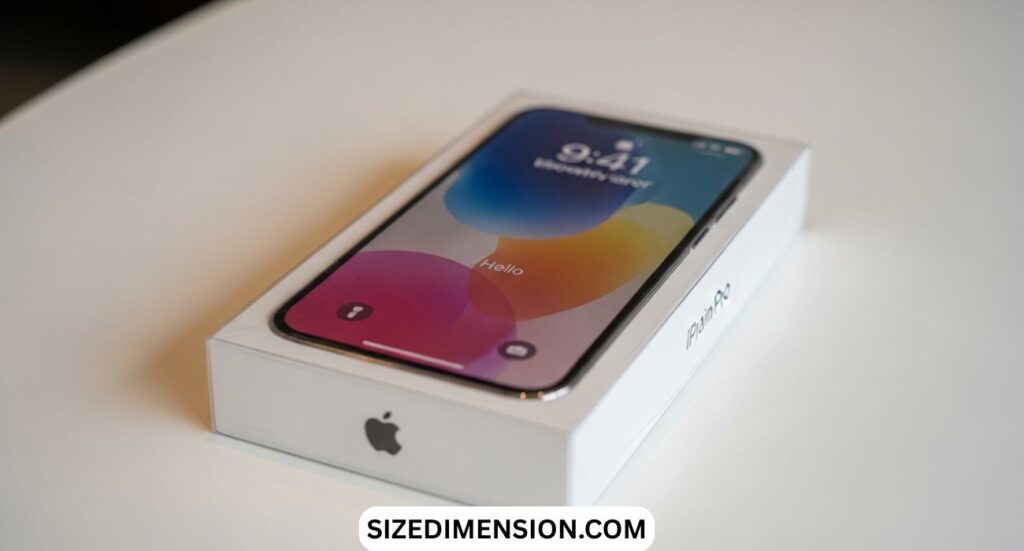
A common challenge is understanding how to fit wallpaper on iPhone.
The fitting process depends on proper image size and positioning.
Inside wallpaper settings, iOS allows zooming and repositioning.
Users should focus on keeping important image elements centered because automatic scaling may crop outer edges.
Large wallpapers generally perform better than small images.
When users encounter cropping, a larger file often solves the problem.
This improves wallpaper image size handling and minimizes distortion.
Understanding fitting behavior also helps improve iPhone lock screen wallpaper appearance and iPhone home screen wallpaper alignment.
The result is a cleaner interface and more professional look.
Why iPhone Wallpaper Dimensions Matter
Choosing the correct iPhone wallpaper dimensions matters because modern displays use advanced resolutions and taller aspect ratios. A wallpaper matching your screen resolution appears sharper, cleaner, and more professional. Images downloaded without checking dimensions often become blurry, stretched, or awkwardly cropped, reducing overall visual quality and making daily phone use feel less polished and less enjoyable for many users today.
Apple designs every iPhone with specific screen technology, meaning wallpaper size requirements differ between models. Older devices commonly followed sixteen-by-nine layouts, while modern phones use taller nineteen-point-five-by-nine displays. Understanding these differences prevents frustration and helps users choose backgrounds that fit naturally. Correct sizing supports sharper icons, balanced composition, smoother wallpaper movement, and stronger personalization across lock screens and home screens.
Understanding Screen Resolution
Screen resolution refers to the total number of pixels available on an iPhone display. Higher resolutions produce greater clarity and allow wallpapers to show richer details. A small image enlarged beyond its original size loses sharpness and develops blur. This explains why premium wallpapers designed for modern iPhones appear significantly better than ordinary photos saved from social media platforms online.
Pixel density also influences wallpaper appearance. Apple displays contain tightly packed pixels, often exceeding four hundred pixels per inch. Because screens are exceptionally sharp, wallpapers must maintain similar quality levels. Users selecting low-resolution images frequently notice graininess and faded detail. High-quality wallpapers preserve edges, textures, and colors, helping photographs, artwork, and landscapes appear vivid and visually appealing throughout device usage.
Finding the Correct Wallpaper Size
Finding your wallpaper dimensions starts with identifying your exact iPhone model. The easiest method involves opening Settings, selecting General, and tapping About. Your model name immediately appears, allowing quick comparison with resolution charts. This simple approach saves time and prevents mistakes while downloading wallpapers, especially for users managing several Apple devices or purchasing secondhand phones with uncertain specifications for everyone.
The screenshot method offers another reliable solution for discovering wallpaper size. Taking a screenshot captures the display at native resolution. Opening photo information reveals exact dimensions, which closely match wallpaper requirements. Many users appreciate this technique because it works instantly without additional software. Screenshots also help compare image sizes and diagnose wallpaper fitting problems before applying backgrounds permanently for users.
Read Also: 10 Inches: 13 Things with Pic’s That Are 10 Inches Long
Benefits of Wallpaper Apps
Wallpaper apps simplify the search for compatible backgrounds by automatically detecting screen specifications. Many applications include built-in collections sorted by device model, theme, and resolution. These features reduce manual searching and help users avoid incorrect image sizes. Detection tools also preview wallpapers before installation, making customization easier and reducing disappointment caused by poor cropping or misplaced design elements today globally.
Although wallpaper apps offer convenience, users should still review image quality carefully. Some free platforms compress files heavily, lowering clarity and detail. Selecting high-resolution images remains important for maintaining sharpness on modern displays. Trusted applications with strong reviews usually deliver better experiences, cleaner downloads, and safer browsing, helping users personalize devices without sacrificing visual quality or privacy protection everywhere today.
Creating Custom Wallpapers
Creating custom wallpapers gives users complete control over style and creativity. Design tools such as Canva and Adobe Express allow simple editing using exact screen dimensions. Matching canvas size with device resolution prevents distortion and improves final appearance. Users can experiment with photography, typography, minimal graphics, or artistic themes while building wallpapers reflecting personal taste and visual preferences quite easily.
After designing a wallpaper, transferring and applying it correctly matters equally. Images can move through AirDrop, cloud storage, or messaging platforms. Opening Wallpaper settings allows repositioning and zoom adjustments before confirmation. Careful placement ensures important subjects remain visible and centered. Testing wallpapers on both lock screens and home screens creates balanced results and a more satisfying everyday viewing experience comfortably.
Future of iPhone Wallpapers
Wallpaper trends continue evolving as Apple introduces larger displays and new software features. Dynamic backgrounds, subtle gradients, and minimalist photography remain popular among users seeking cleaner interfaces. Personalized wallpapers featuring travel memories, pets, or inspirational quotes also maintain strong appeal. As technology advances, understanding wallpaper dimensions will remain essential for achieving sharper images and enjoyable smartphone personalization experiences worldwide today.
Ultimately, choosing the right wallpaper combines creativity with technical understanding. Resolution, aspect ratio, and image quality all shape how backgrounds appear on screen. Users who learn these basics enjoy better visual results and fewer fitting problems. A carefully selected wallpaper transforms an ordinary device into a more personal, attractive, and enjoyable companion used throughout work, entertainment, and daily communication consistently.
FAQ’s
What size is the iPhone 17 wallpaper size?
The iPhone 17 wallpaper size is not officially confirmed yet. Based on recent models, expected dimensions may be around 1179 × 2556 pixels for standard versions and 1320 × 2868 pixels for Pro Max models.
How to change wallpaper on iPhone 2026?
Open Settings > Wallpaper > Add New Wallpaper and choose a photo or design. Adjust the image using zoom and drag controls, then tap Set as Wallpaper Pair or customize separately.
What is the size for an iPhone wallpaper?
The size for an iPhone wallpaper depends on the model and screen resolution. Most modern iPhones use wallpaper sizes between 1170 × 2532 and 1320 × 2868 pixels.
Is 16:9 wallpaper size?
Yes, 16:9 is a wallpaper aspect ratio used by older phones, TVs, and monitors. Modern iPhones mainly use taller ratios like 19.5:9 instead of 16:9.
Conclusion
iPhone Wallpaper Dimensions (2026) help users choose the correct image size for every iPhone model. Correct dimensions improve clarity, sharpness, and overall screen appearance. A proper wallpaper size prevents blur, stretching, and cropping issues. It also ensures that lock screen and home screen images look clean and balanced on modern high-resolution iPhone displays used across all new devices today.
Understanding iPhone Wallpaper Dimensions (2026) makes customization simple and effective for every user. When users match wallpapers with screen resolution, they get better image quality and smoother display results. This knowledge helps in selecting or creating wallpapers that fit perfectly. It improves the overall experience and makes iPhones look more attractive, organized, and visually clear in daily use.